
Learn how concurrent features like Transitions, Suspense, and React Server Components improve application performance.
React 18 has introduced concurrent features that fundamentally change the way React applications can be rendered. We'll explore how these latest features impact and improve your application's performance.
First, let's take a small step back to understand the basics of long tasks and the corresponding performance measurements.
Link to headingMain thread and Long Tasks
When we run JavaScript in the browser, the JavaScript engine executes code in a single-threaded environment, which is often referred to as the main thread. Along with executing JavaScript code, the main thread is responsible for handling other tasks as well, including managing user interactions like clicks and keystrokes, processing network events, timers, updating animations, and managing browser reflows and repaints.


When a task is being processed, all other tasks must wait. While small tasks can be executed smoothly by browsers to provide a seamless user experience, longer tasks can be problematic as they can block other tasks from being processed.
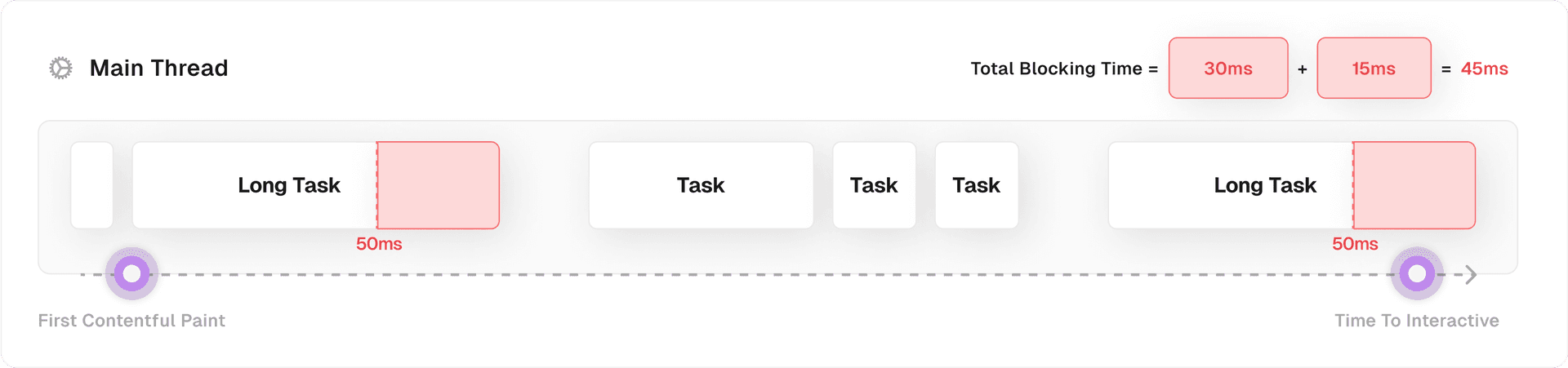
Any task that takes more than 50 milliseconds to run is considered a "long task".


This 50ms benchmark is based on the fact that devices must create a new frame every 16ms (60fps) to maintain a smooth visual experience. However, devices must also perform other tasks, such as responding to user input and executing JavaScript.
The 50ms benchmark allows the device to allocate resources to both rendering frames and performing other tasks, and provides an additional ~33.33ms for the device to perform other tasks while maintaining a smooth visual experience. You can read more about the 50ms benchmark in this blog post covering the RAIL model.
To maintain optimal performance, it is important to minimize the number of long tasks. To measure the performance of your website, there are two metrics that measure the impact of long tasks on the performance of your applications: Total Blocking Time, and Interaction to Next Paint.
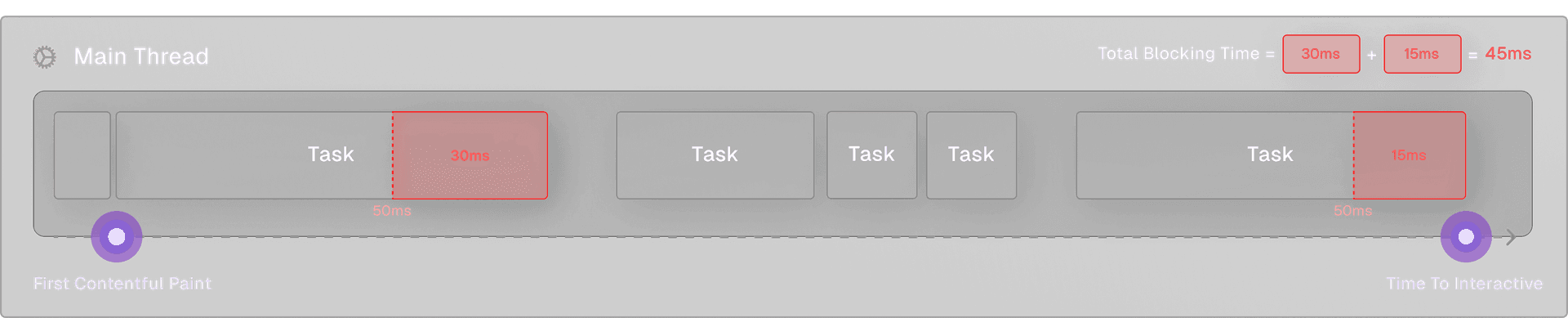
Total Blocking Time (TBT) is an important metric that measures the time between the First Contentful Paint (FCP) and Time to Interactive (TTI). TBT is the sum of the time it took tasks longer than 50ms to execute, which can have a significant impact on the user experience.
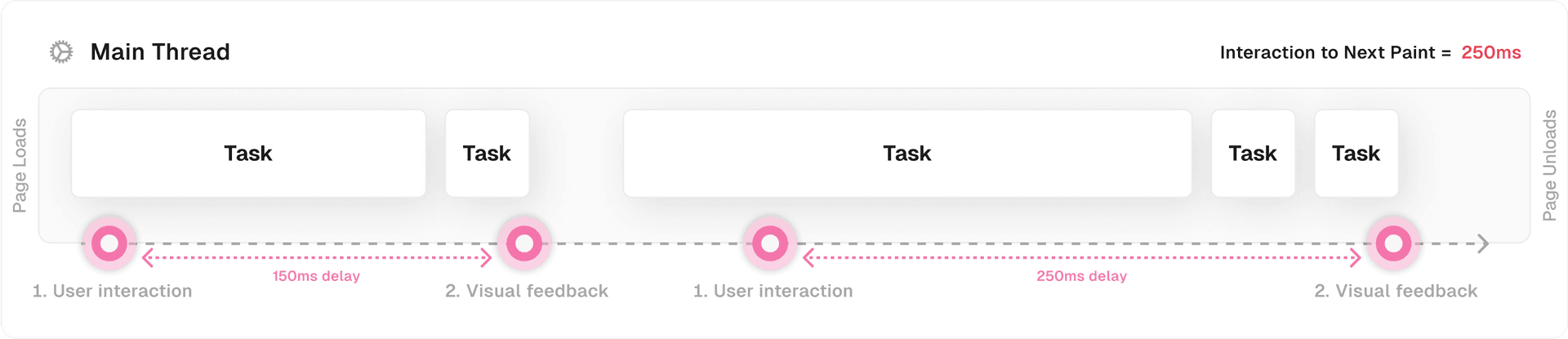
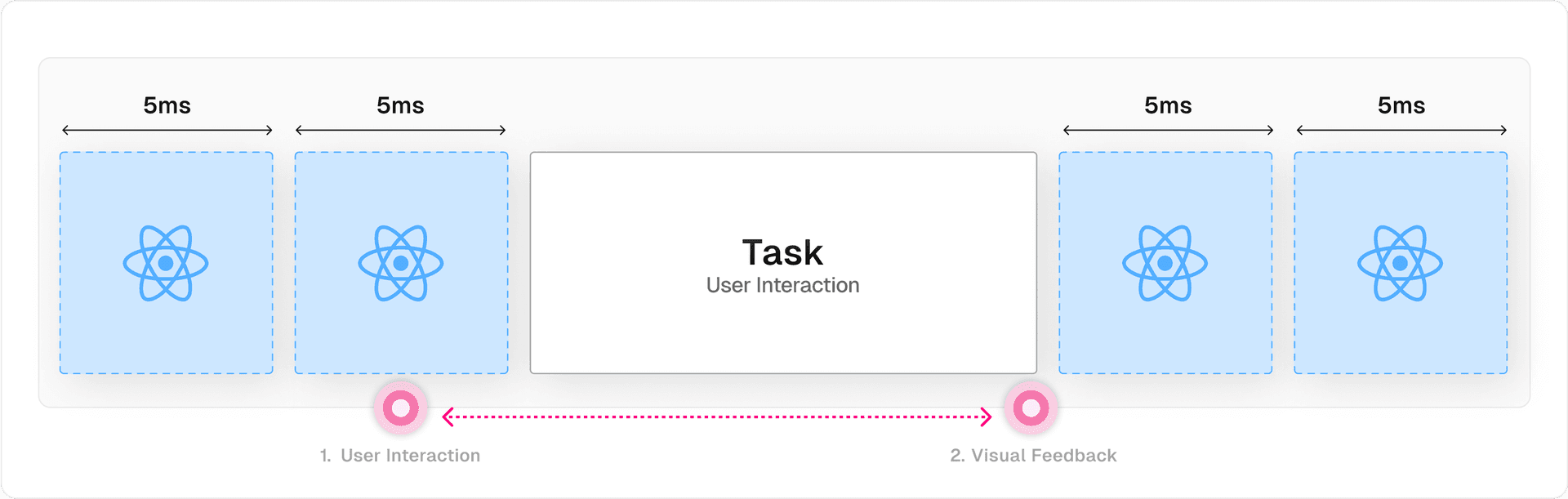
The Interaction to Next Paint (INP), a new Core Web Vitals metric, measures the time from a user's first interaction with the page (e.g. clicking a button) to when this interaction is visible on-screen; the next paint. This metric is particularly important for pages with many user interactions, like e-commerce sites or social media platforms. It’s measured by accumulating all the INP measurements throughout the user’s current visit and returning the worst score.

To understand how the new React updates optimize for these measurements and thus improve the user experience, it's important to understand how traditional React works first.
Link to headingTraditional React Rendering
A visual update in React is divided into two phases: the render phase and the commit phase.
The render phase in React is a pure computation phase where React elements are reconciled with (i.e. compared to) the existing DOM. This phase involves creating a new tree of React elements, also known as the "virtual DOM", which is essentially a lightweight in-memory representation of the actual DOM.
During the render phase, React calculates the differences between the current DOM and the new React component tree and prepares the necessary updates.
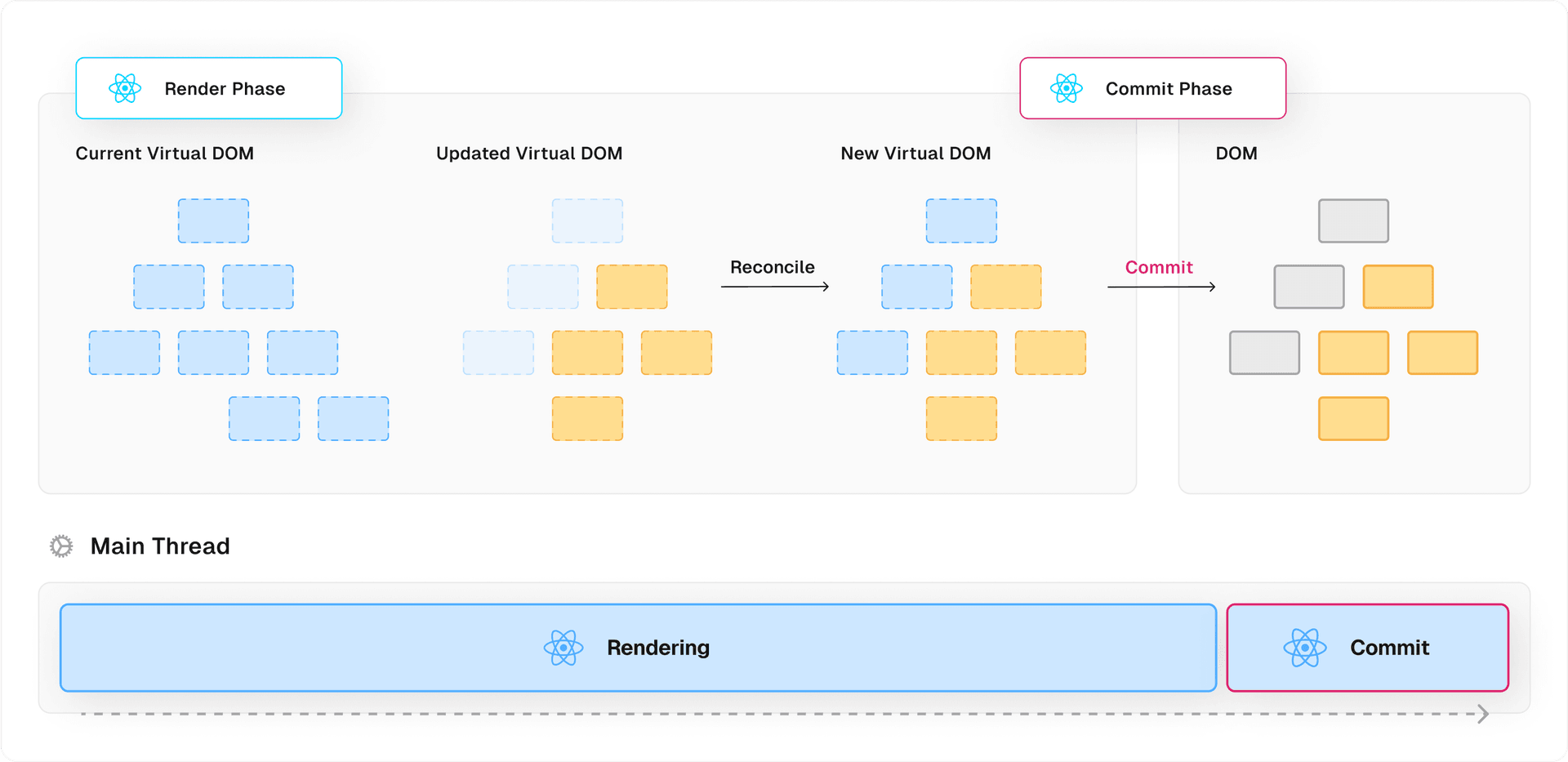
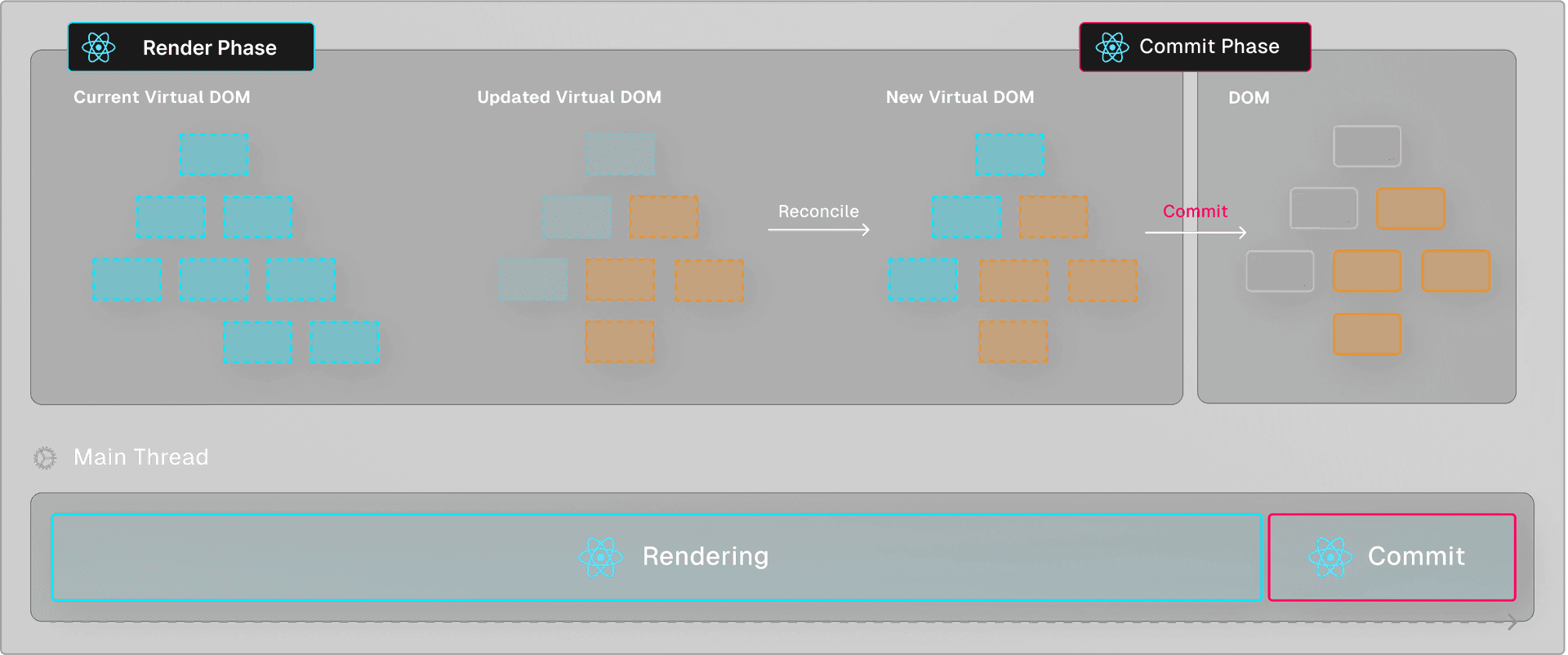
Following the render phase is the commit phase. In this phase, React applies the updates calculated during the render phase to the actual DOM. This involves creating, updating, and deleting DOM nodes to mirror the new React component tree.
In a traditional synchronous render, React would give the same priority to all elements within a component tree. When a component tree is rendered, either on the initial render or on a state update, React would go ahead and render the tree in a single uninterruptible task, after which it gets committed to the DOM to visually update the on-screen components.
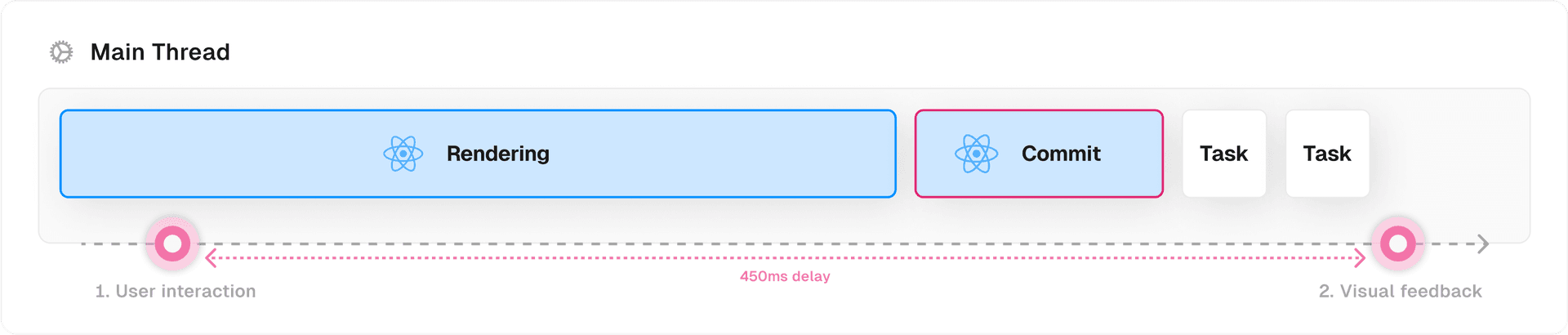

A synchronous render is an “all-or-nothing” operation, where it’s guaranteed that a component that starts rendering will always finish. Depending on the complexity of the components, the render phase could take a while to complete. The main thread is blocked during this time, meaning that users trying to interact with the application experience an unresponsive UI until React has completed the render and committed the result to the DOM.
You can see this happen in the following demo. We have a text input field and a large list of cities that get filtered based on the current value of the text input. In a synchronous render, React will go ahead and re-render the CitiesList component on each keystroke. This is quite an expensive computation since the list consists of tens of thousands of cities, so there’s a clear visual feedback delay here between the keystroke and seeing this reflected in the text input.
import React, { useState } from "react";
import CityList from "./CityList";

export default function SearchCities() {
  const [text, setText] = useState("Am");

   return (
      <main>
          <h1>Traditional Rendering</h1>
          <input type="text" onChange={(e) => setText(e.target.value) }   />
          <CityList searchQuery={text} />
      </main>
     );
};
If you’re on a high-end device like a Macbook, you might want to throttle your CPU 4x to simulate a lower-end device. You can see this setting in Devtools > Performance > ⚙️ > CPU.
When we look at the performance tab, you can see that long tasks occur on every keystroke, which is suboptimal.
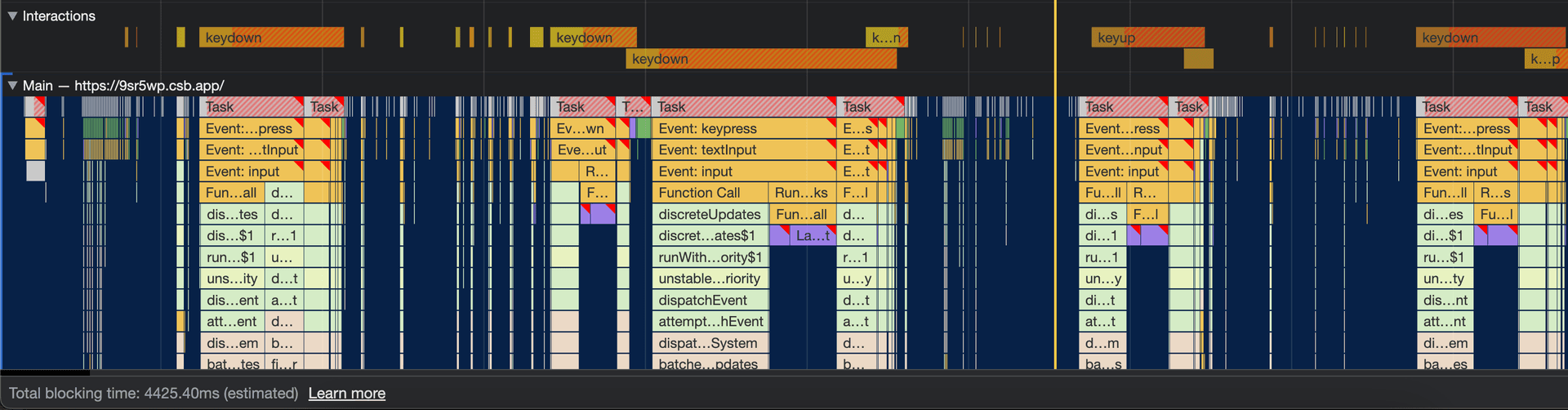
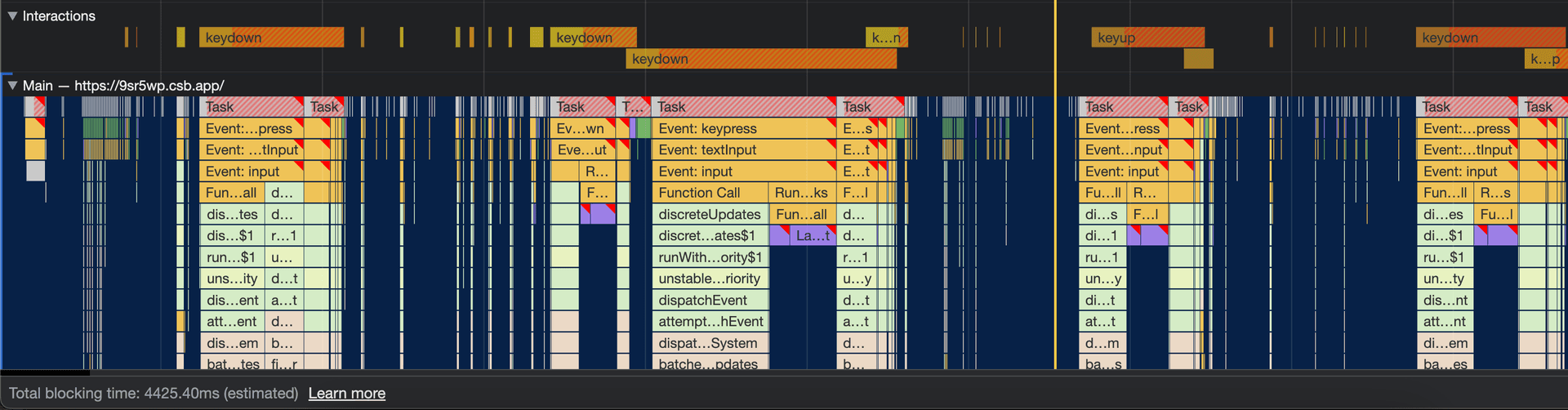
In such scenarios, React developers would often use third-party libraries like debounce to defer the rendering, but there was no built-in solution.
React 18 introduces a new concurrent renderer that operates behind the scenes. This renderer exposes some ways for us to mark certain renders as non-urgent.
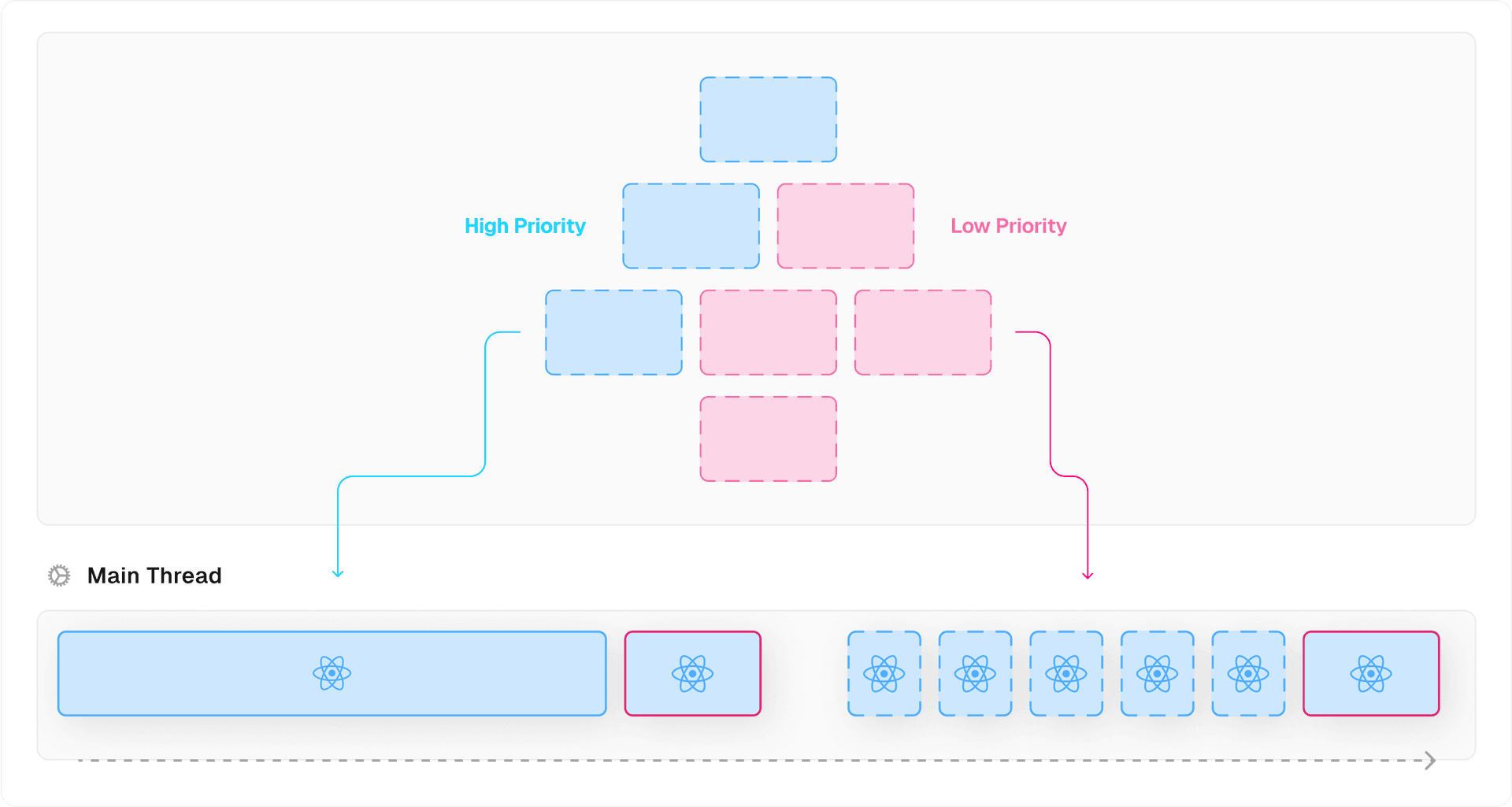
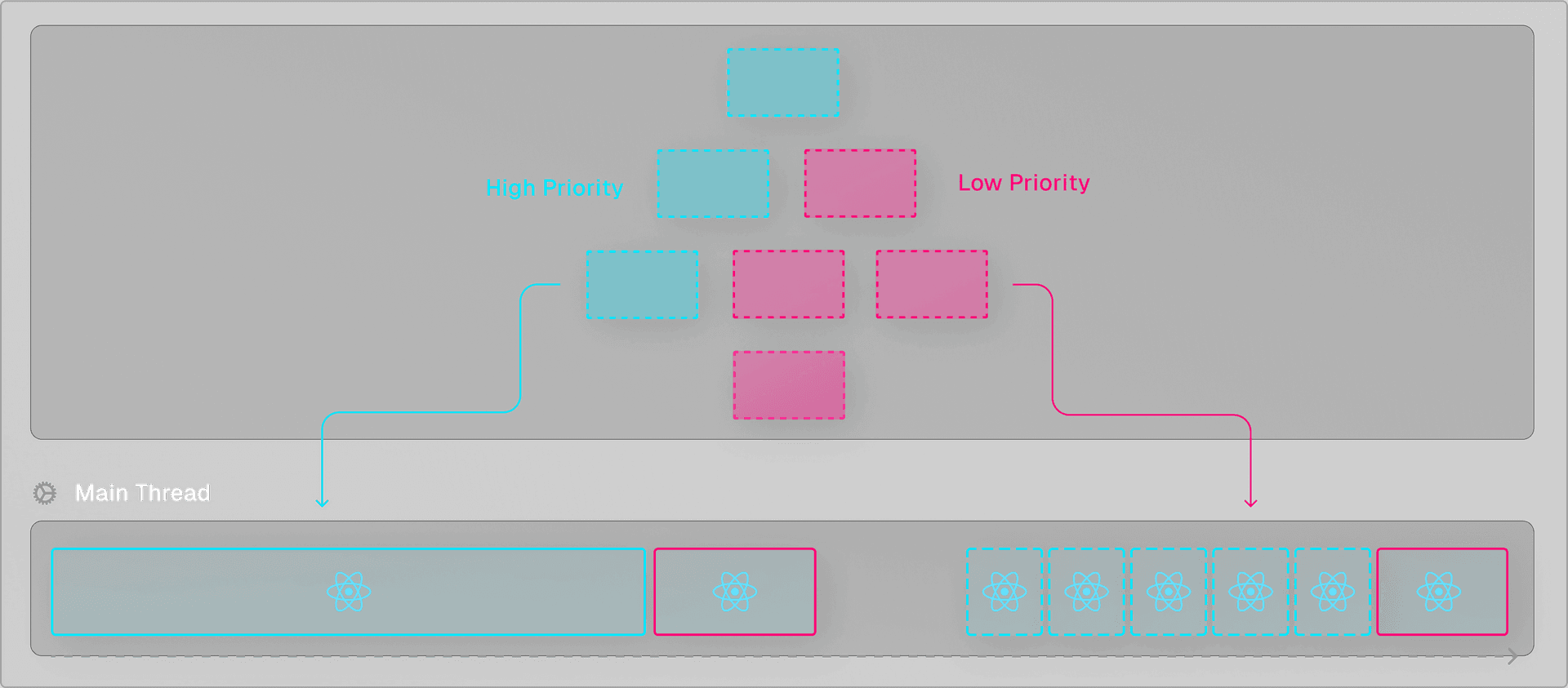
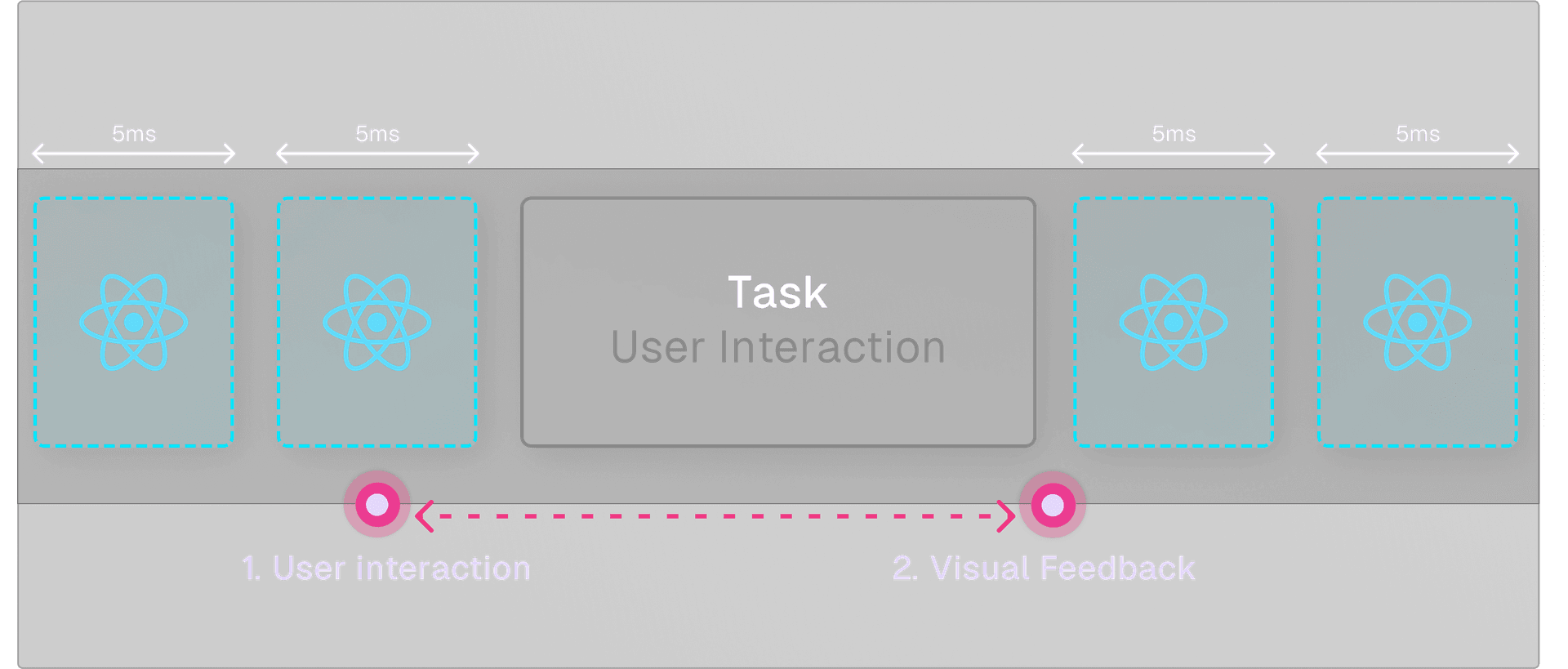
In that case, React will yield back to the main thread every 5 milliseconds to see if there are more important tasks to handle instead, such as user input or even rendering another React component state updates that are more important to the user experience at that moment. By continuously yielding back to the main thread, React is able to make such renders non-blocking and prioritize more important tasks.
Additionally, the concurrent renderer is able to “concurrently” render multiple versions of the component tree in the background without immediately committing the result.
Whereas a synchronous render is an all-or-nothing computation, the concurrent renderer allows React to pause and resume the rendering of one or multiple component trees to achieve the most optimal user experience.
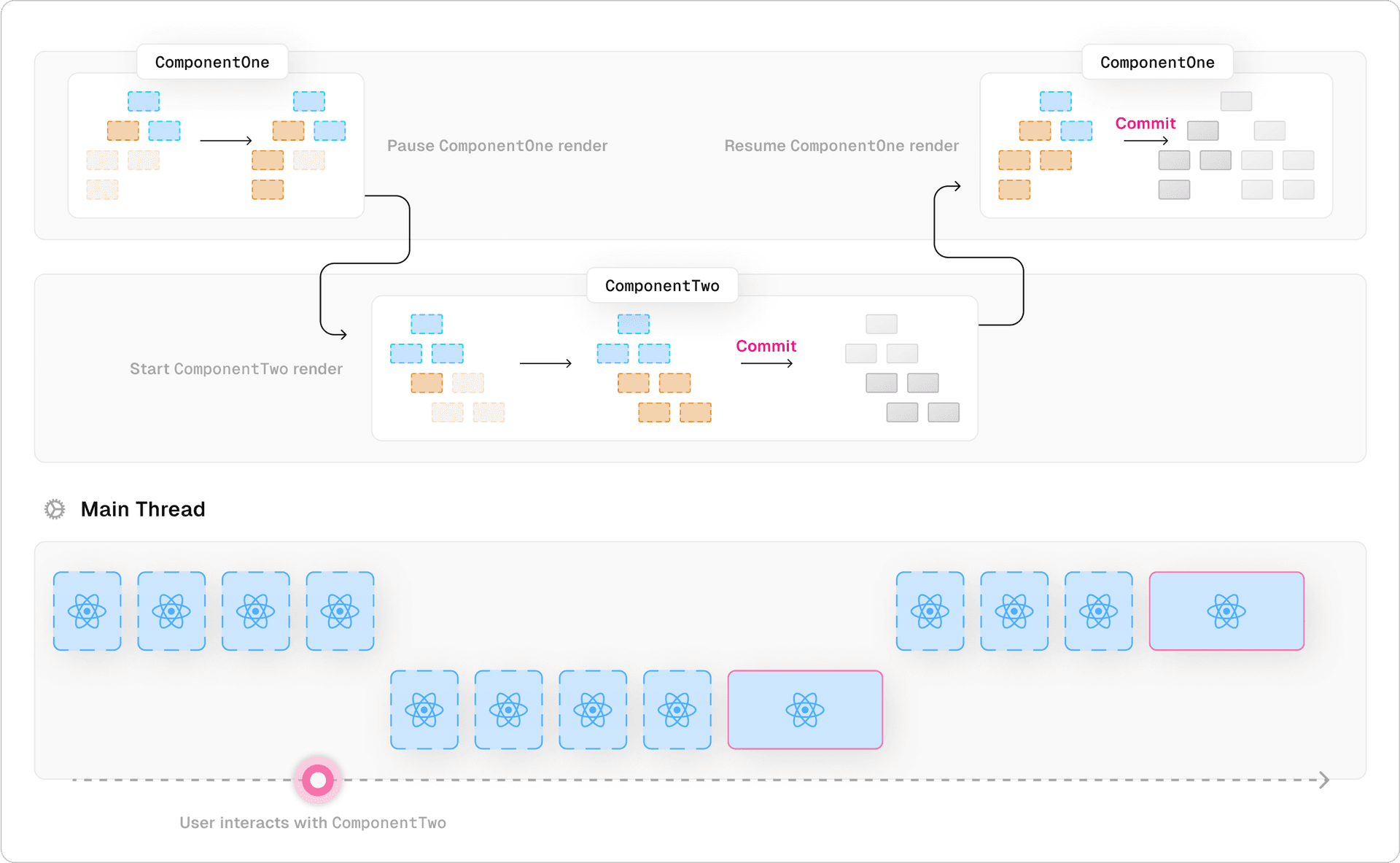
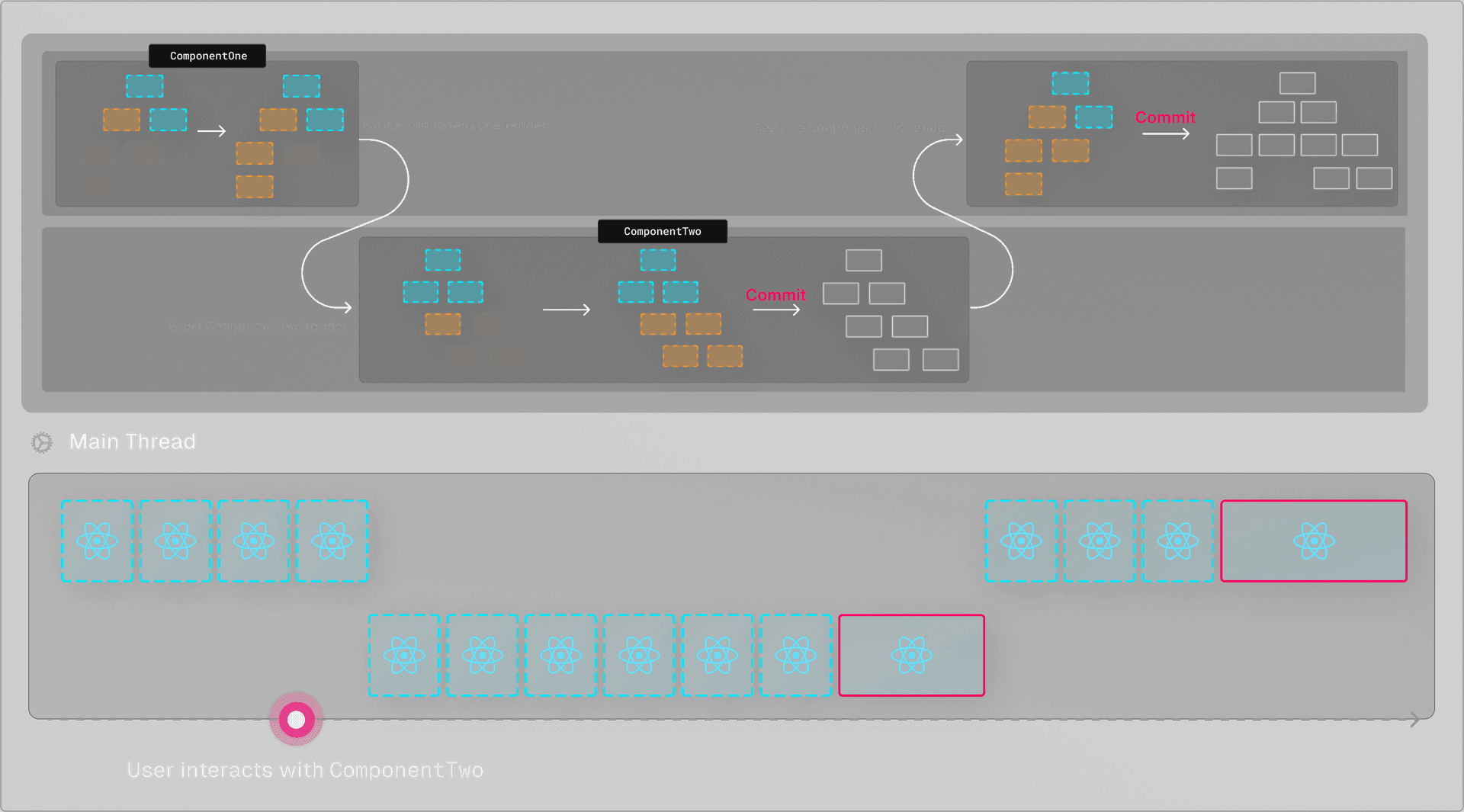
Using concurrent features, React can pause and resume the rendering of components based on external events such as user interaction. When the user started interacting with ComponentTwo, React paused the current rendering, prioritized and render ComponentTwo, after which it resumed rendering ComponentOne. We'll talk about this more in the section on Suspense.
Link to headingTransitions
We can mark an update as non-urgent by using the startTransition function made available by the useTransition hook. This is a powerful new feature that allows us to mark certain state updates as “transitions”, indicating that they can lead to visual changes that could potentially disrupt user experience if they were rendered synchronously.
By wrapping a state update in startTransition, we can tell React that we’re okay with deferring or interrupting the rendering to prioritize more important tasks to keep the current user interface interactive.
import { useTransition } from "react";
function Button() { const [isPending, startTransition] = useTransition();
return ( <button onClick={() => { urgentUpdate(); startTransition(() => { nonUrgentUpdate() }) }} >...</button> )}When a transition starts, the concurrent renderer prepares the new tree in the background. Once it’s finished rendering, it’ll keep the result in memory until the React scheduler can performantly update the DOM to reflect the new state. This moment could be when the browser is idle and a higher priority task (like user interaction) isn't pending.
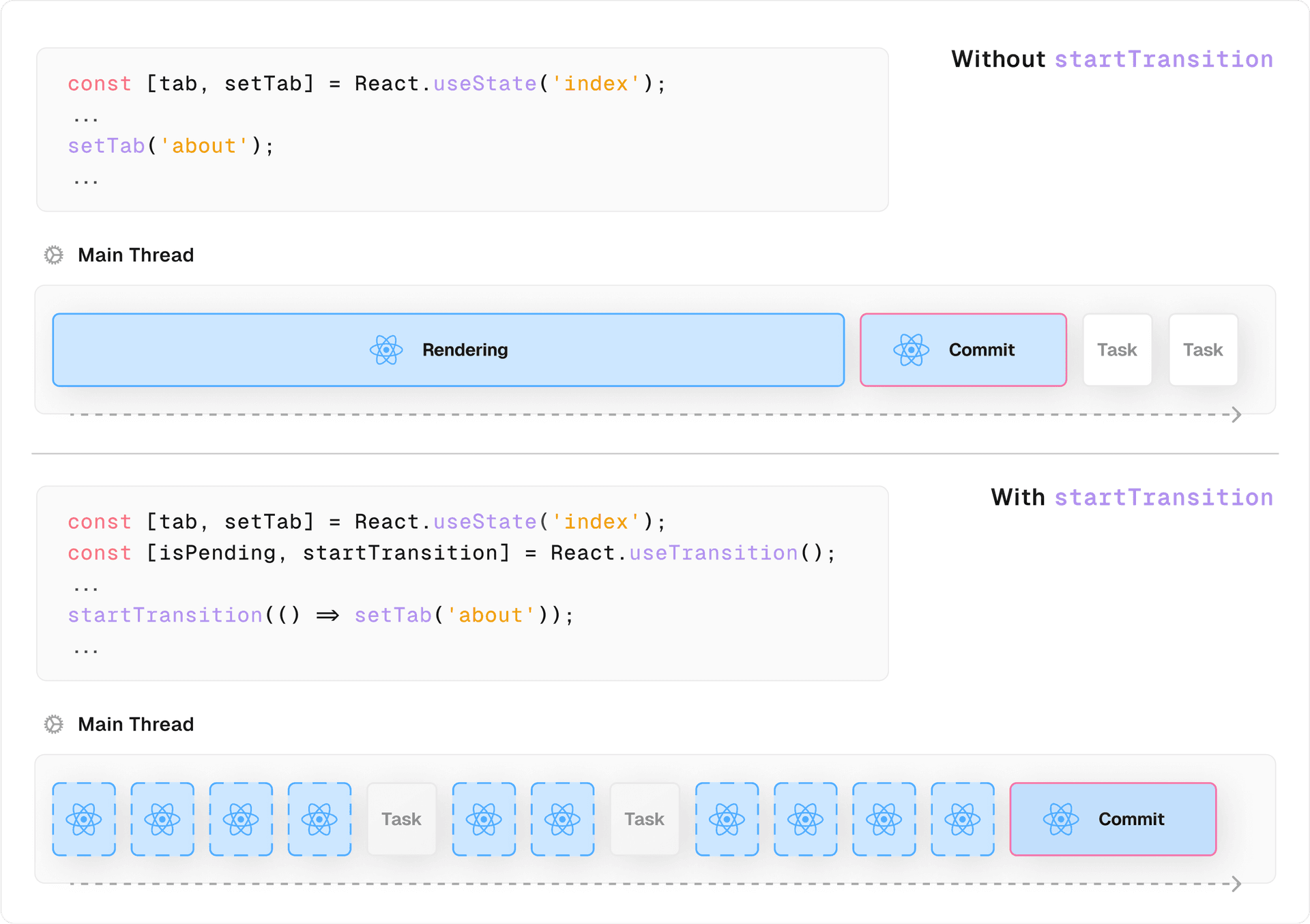
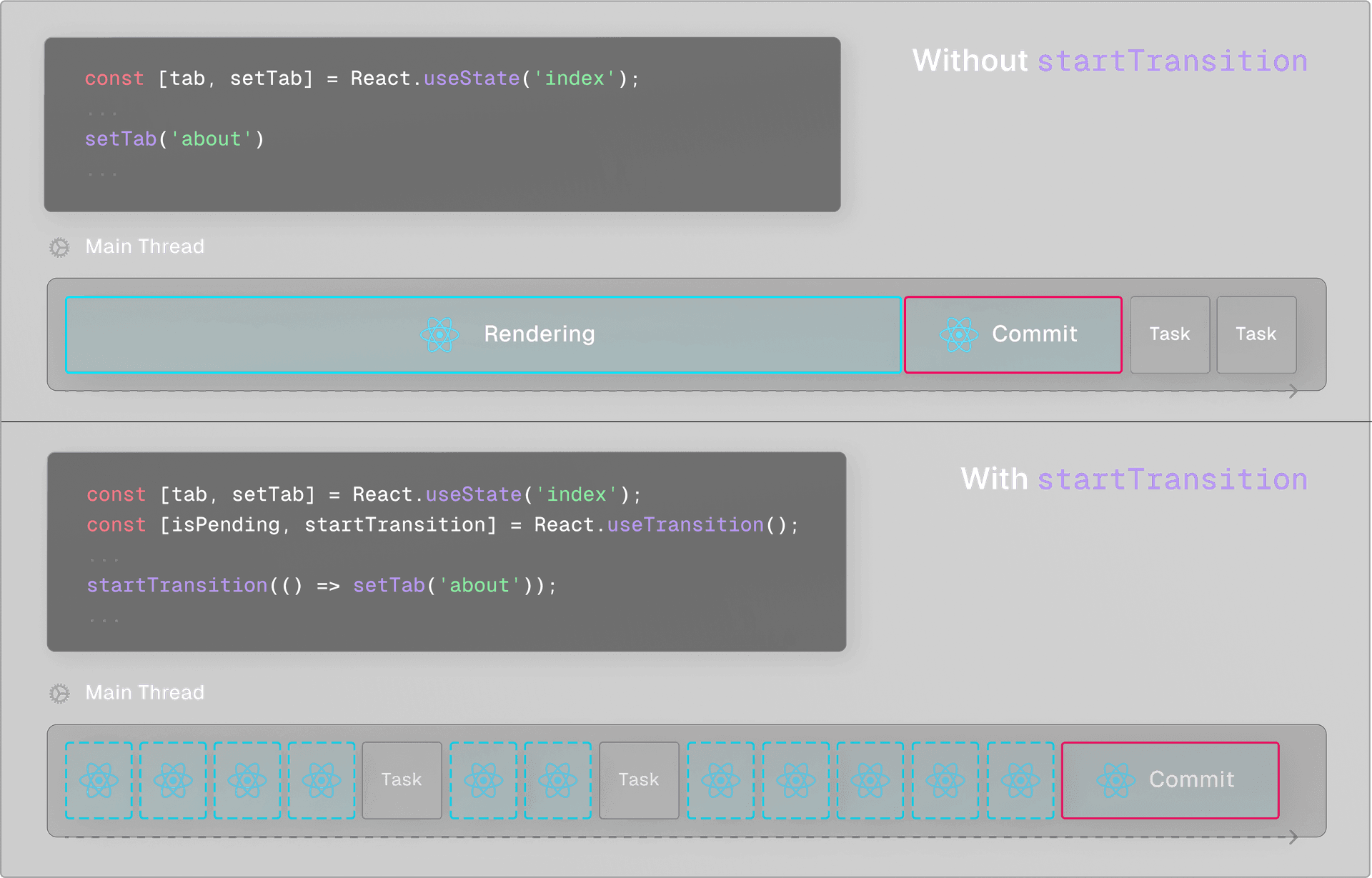
Using a transition would be perfect for the CitiesList demo. Instead of directly updating the value passed to the searchQuery param on each keystroke – which, in turn, leads to a synchronous render call on each keystroke – we can split the state into two values and wrap the searchQuery's state update in a startTransition.
This tells React that the state update might lead to visual changes that could be disruptive to the user, and therefore React should attempt to keep the current UI interactive while preparing the new state in the background without committing the updates immediately.
import React, { useState, useTransition } from "react";
import CityList from "./CityList";

export default function SearchCities() {
  const [text, setText] = useState("Am");
  const [searchQuery, setSearchQuery] = useState(text);
  const [isPending, startTransition] = useTransition();

   return (
      <main>
          <h1><code>startTransition</code></h1>
          <input
              type="text"
              value={text}
              onChange={(e) => {
                 setText(e.target.value)
                 startTransition(() => {
                    setSearchQuery(e.target.value)
                 })
             }}  />
          <CityList searchQuery={searchQuery} />
      </main>
     );
};
Now when we type in the input field, the user input remains smooth without any visual delays between keystrokes. This happens since the text state is still updated synchronously, which the input field uses as its value.
In the background, React starts rendering the new tree on each keystroke. But instead of this being an all-or-nothing synchronous task, React starts preparing the new version of the component tree in memory while the current UI (showing the "old" state) remains responsive to further user input.
Looking at the performance tab, wrapping the state update in a startTransition significantly decreased the number of long tasks and the total blocking time compared to the performance graph for the implementation without the use of transitions.
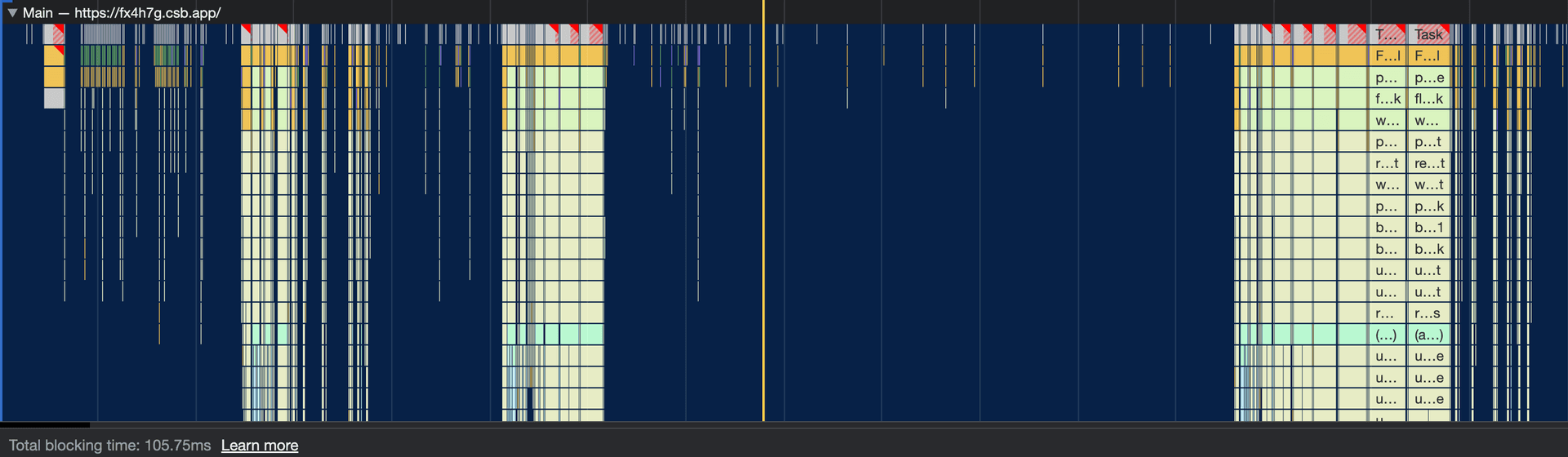
Transitions are part of a fundamental shift in React's rendering model, enabling React to render muliple versions of the UI concurrently, and manage priorities between different tasks. This allows for a smoother and more responsive user experience, especially when dealing with high-frequency updates or CPU-intensive rendering tasks.
Link to headingReact Server Components
React Server Components are an experimental feature in React 18, but ready for frameworks to adopt. This is important to know before we delve into Next.js.
Traditionally, React offered a few primary ways to render our app. We could either render everything entirely on the client (Client-Side Rendering), or we could render the component tree to HTML on the server and send this static HTML to the client with a JavaScript bundle to hydrate the components client-side (Server-Side Rendering).
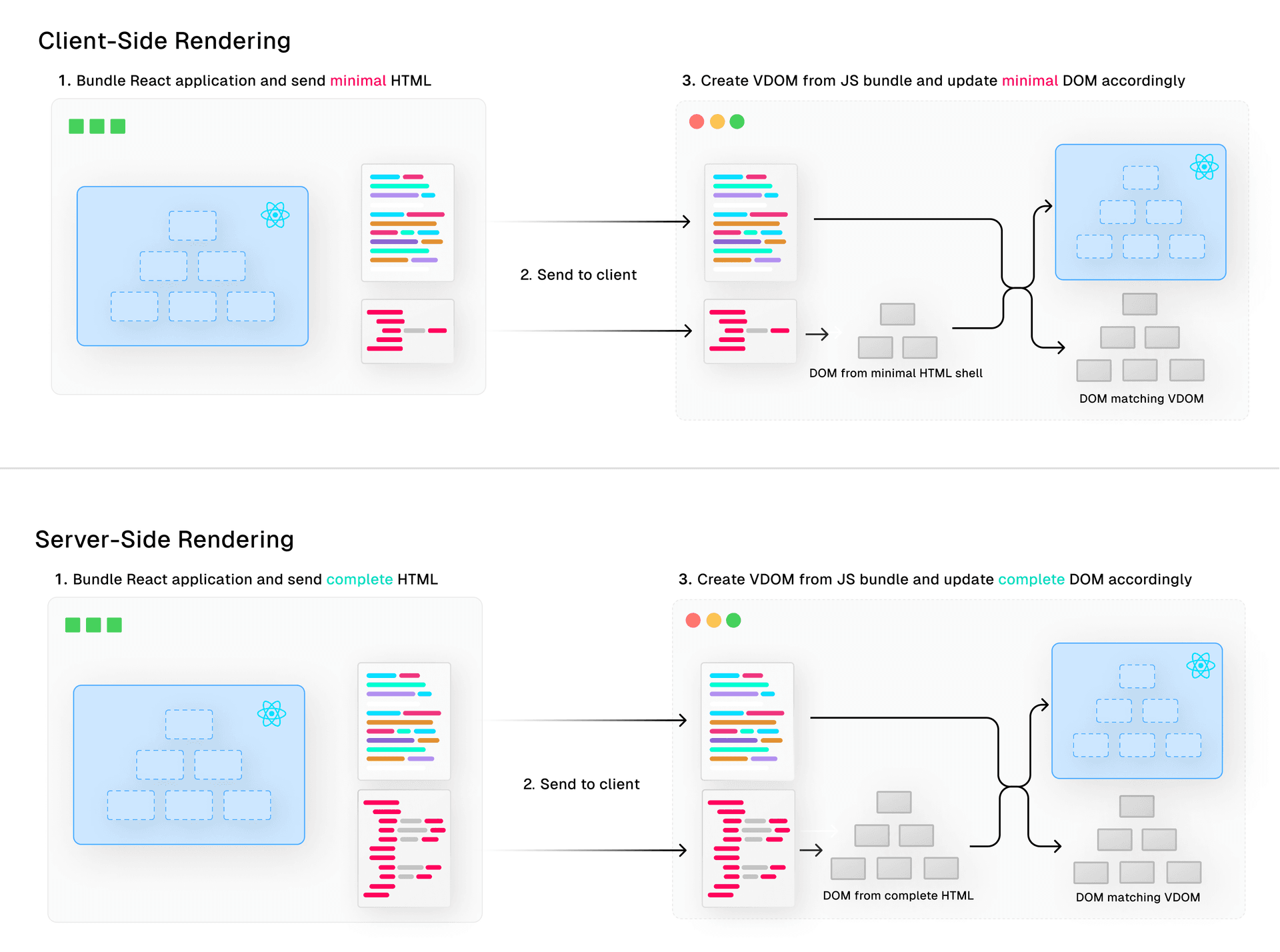
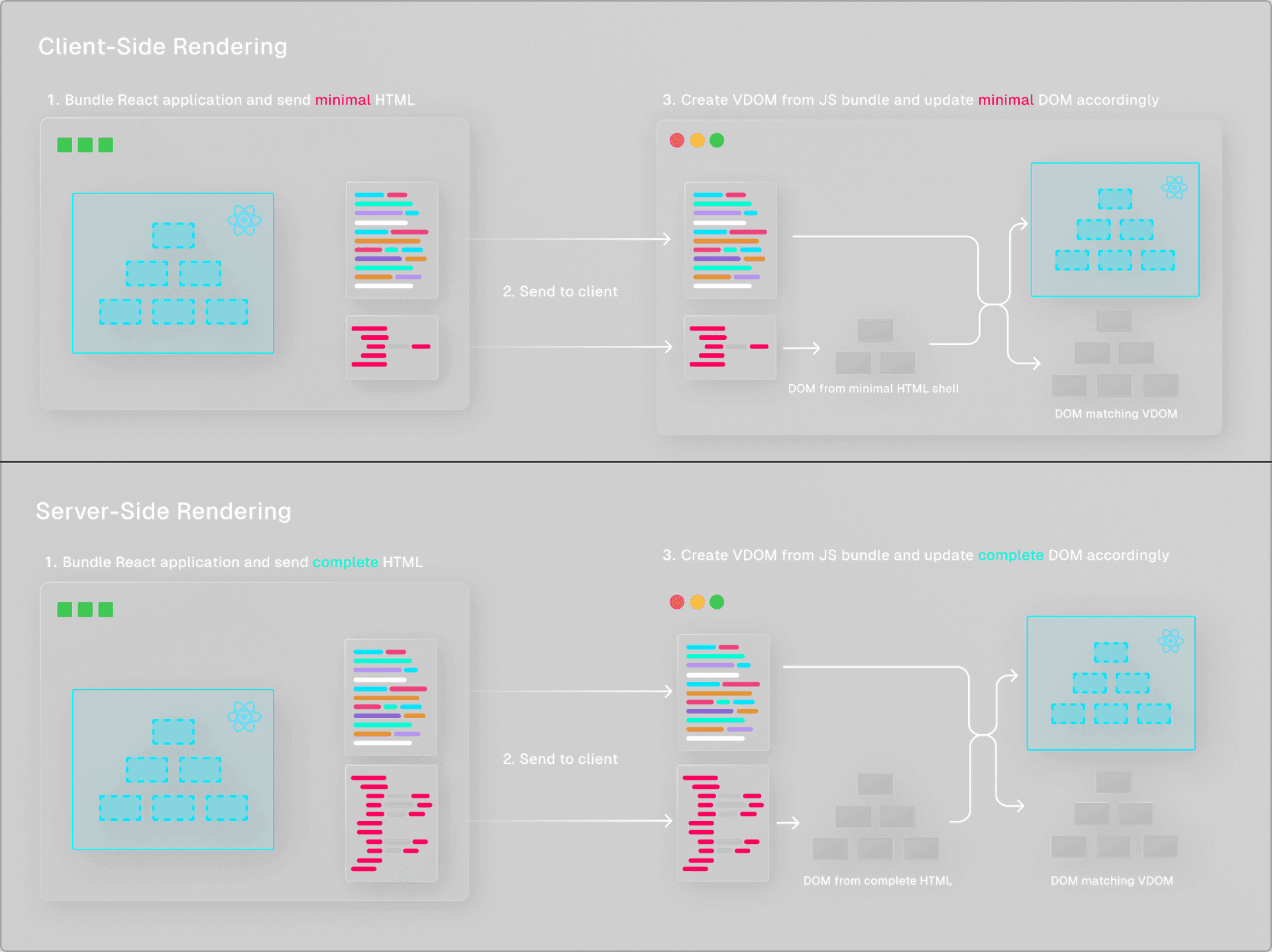
Both approaches rely on the fact that the synchronous React renderer needs to rebuild the component tree client-side which the use of the shipped JavaScript bundle, even though this component tree was already available on the server.
React Server Components allow React to send the actual serialized component tree to the client. The client-side React renderer understands this format and uses it to performantly reconstruct the React component tree without having to send the HTML file or JavaScript bundle.
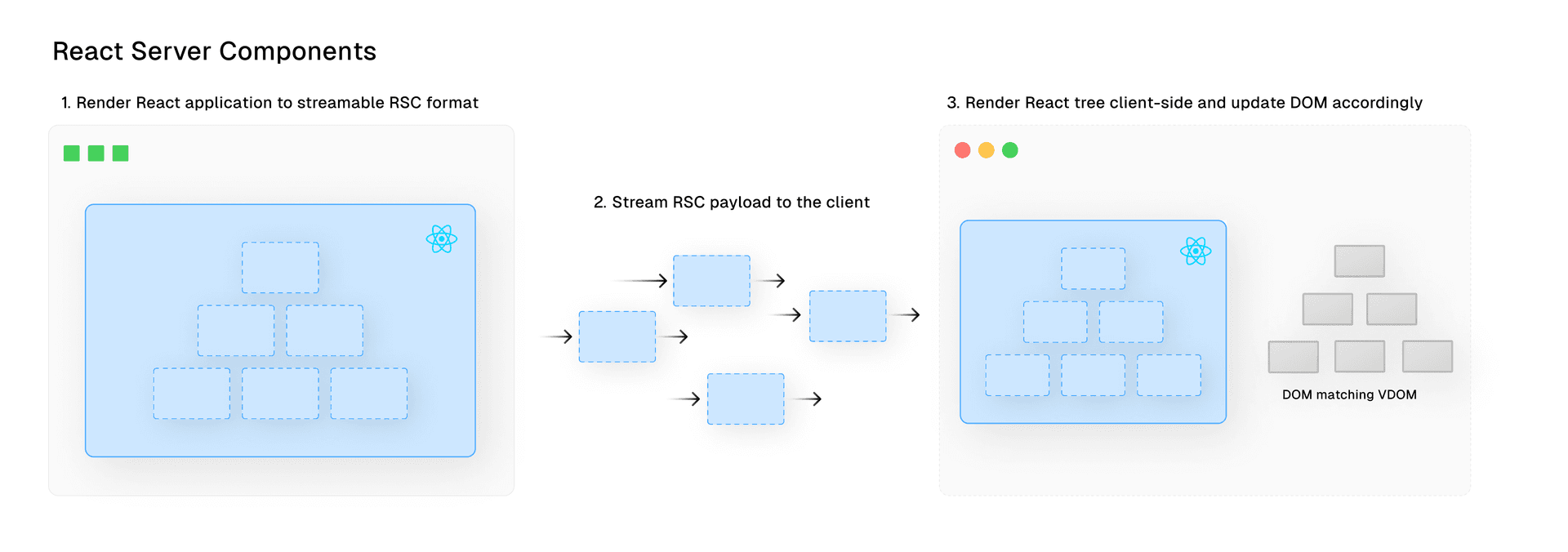
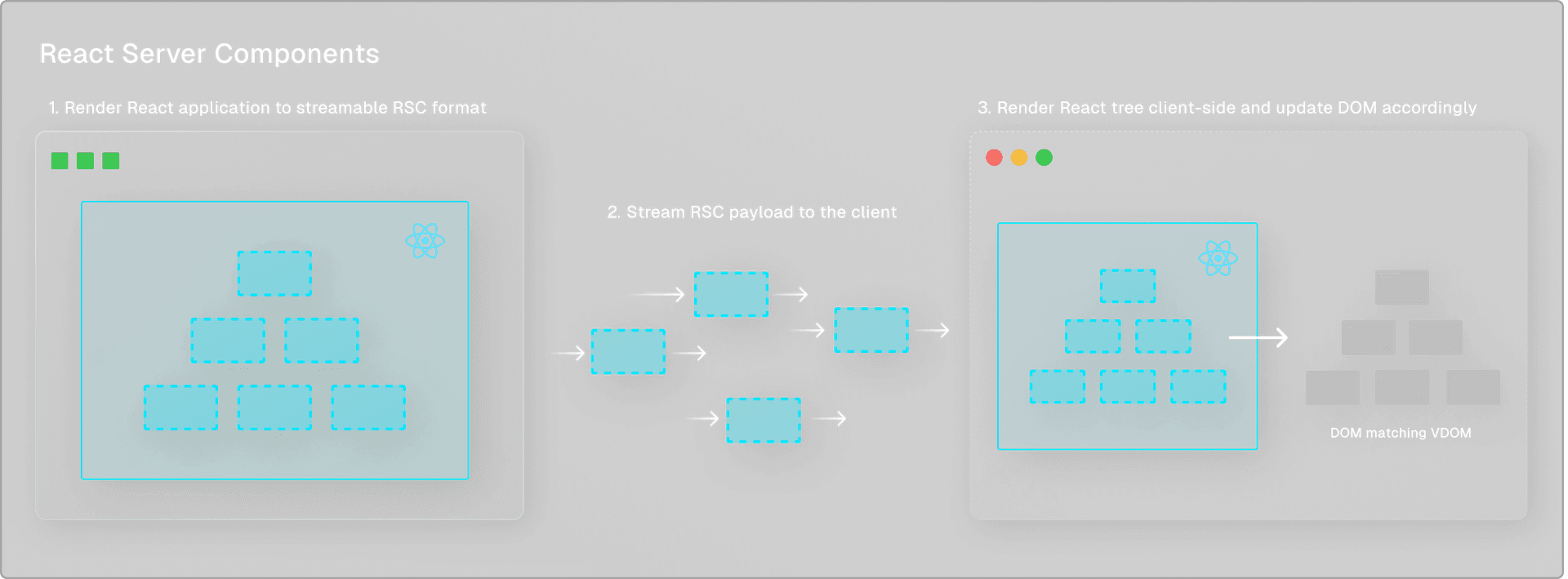
We can use this new rendering pattern by combining react-server-dom-webpack/server's renderToPipeableStream method with react-dom/client's createRoot method.
// server/index.jsimport App from '../src/App.js'app.get('/rsc', async function(req, res) { const {pipe} = renderToPipeableStream(React.createElement(App)); return pipe(res);});
---// src/index.jsimport { createRoot } from 'react-dom/client';import { createFromFetch } from 'react-server-dom-webpack/client';export function Index() { ... return createFromFetch(fetch('/rsc'));}const root = createRoot(document.getElementById('root'));root.render(<Index />);⚠️ This is an over-simplified (!) example of the CodeSandbox demo shown below.
Click here to see the full CodeSandbox demo. In the next section, we'll cover a more elaborate example.
By default, React won't hydrate React Server Components. The components aren't expected to use any client-side interactivity like accessing the window object or use hooks like useState or useEffect.
To add a component and its imports to a JavaScript bundle that gets shipped to the client, thus making it interactive, you can use the "use client" bundler directive on the top of the file. This tells the bundler to add this component and its imports to the client bundle and tells React to hydrate the tree client-side to add interactivity. Such components are referred to as Client Components.
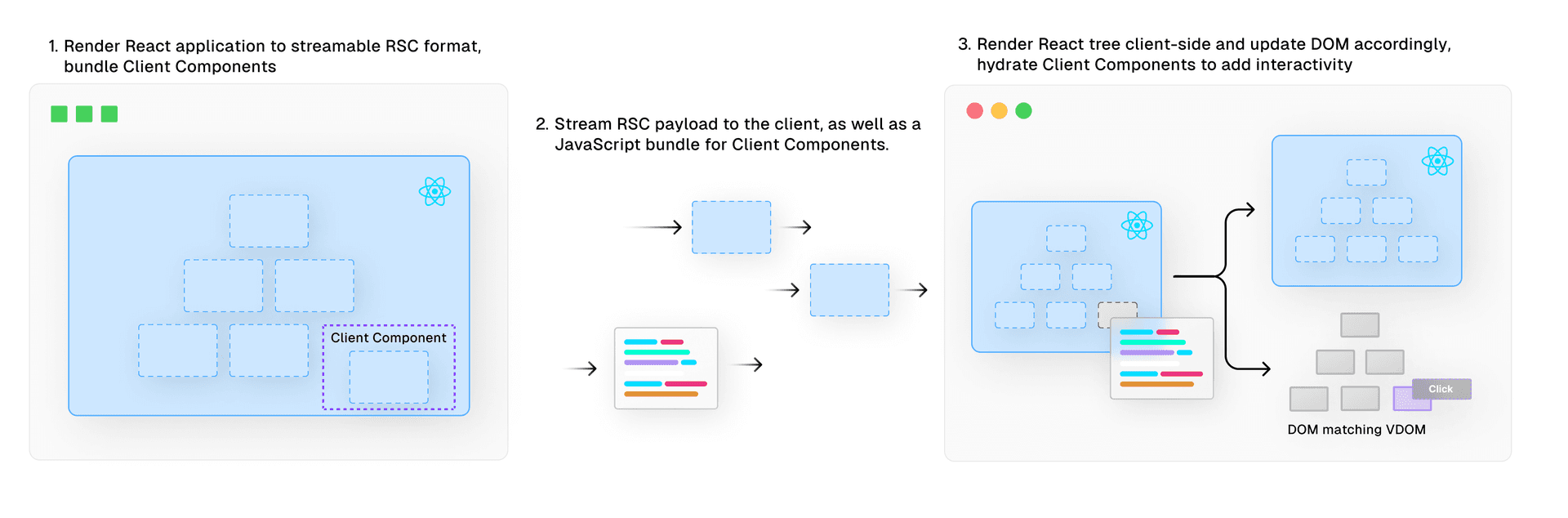
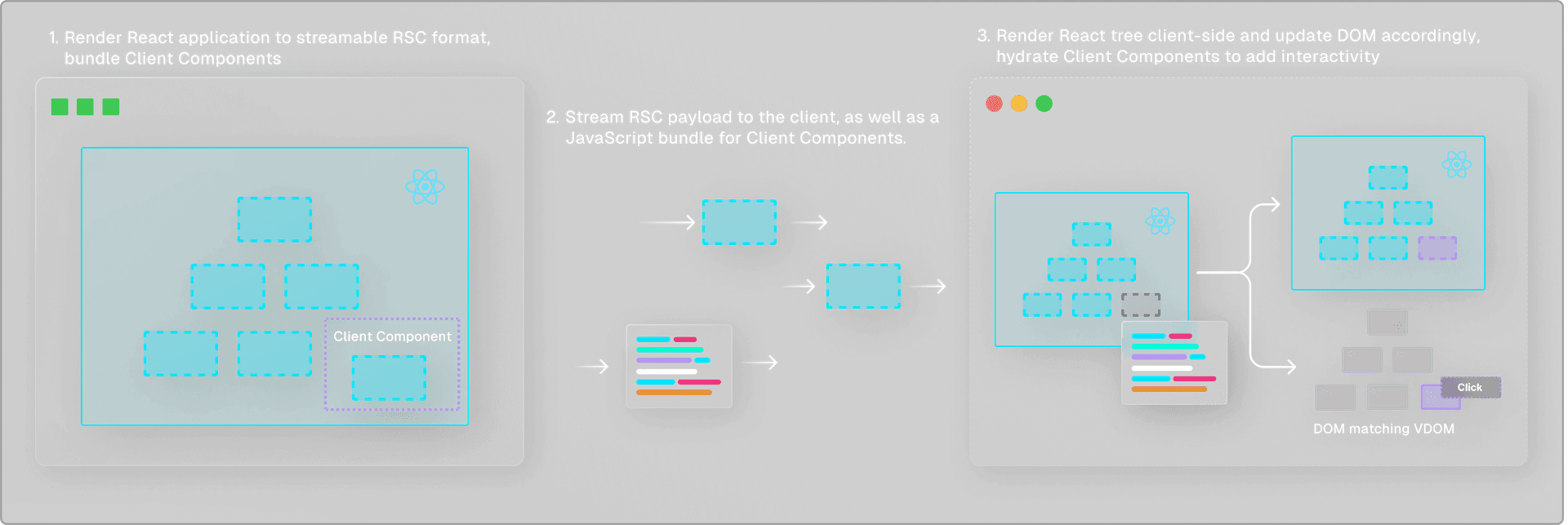
It's up to the developer to optimize bundle size when working with Client Components. Developers can do this by:
Ensuring that only the leaf-most node of the interactive component defines the
"use client"directive. This may require some component decoupling.Passing component trees as props rather than importing them directly. This allows React to render the
childrenas React Server Components without adding them to the client bundle.
Link to headingSuspense
Another important new concurrent feature is Suspense. Although it’s not entirely new as Suspense was released in React 16 for code-splitting with React.lazy, the new capabilities introduced with React 18 extend Suspense to data fetching.
Using Suspense, we can delay the rendering of a component until certain conditions are met, such as data being loaded from a remote source. In the meantime, we can render a fallback component that indicates that this component is still loading.
By declaratively defining loading states, we reduce the need for any conditional rendering logic. Using Suspense in combination with React Server Components allows us to directly access server-side data sources without requiring a separate API endpoint, such as databases or the file system.
async function BlogPosts() { const posts = await db.posts.findAll(); return '...';} export default function Page() { return ( <Suspense fallback={<Skeleton />}> <BlogPosts /> </Suspense> )}Using React Server Components works seamlessly with Suspense, which allows us to define a loading state while the component is still loading.
The true power of Suspense comes from its deep integration with React's Concurrent features. When a component is suspended, for example because it’s still waiting for data to load, React doesn't just sit idle until the component has received the data. Instead, it pauses the rendering of the suspended component and shifts its focus to other tasks.
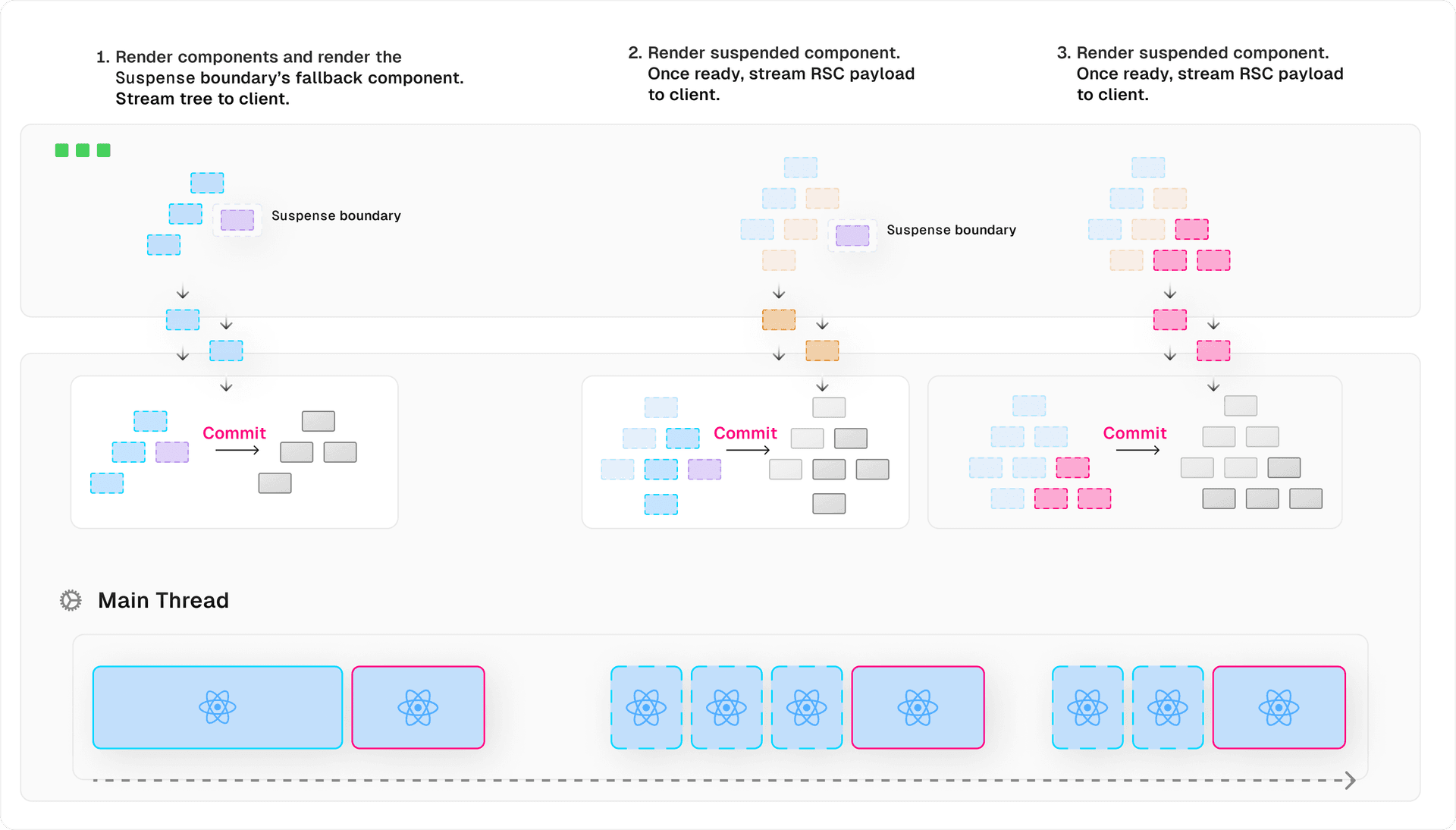
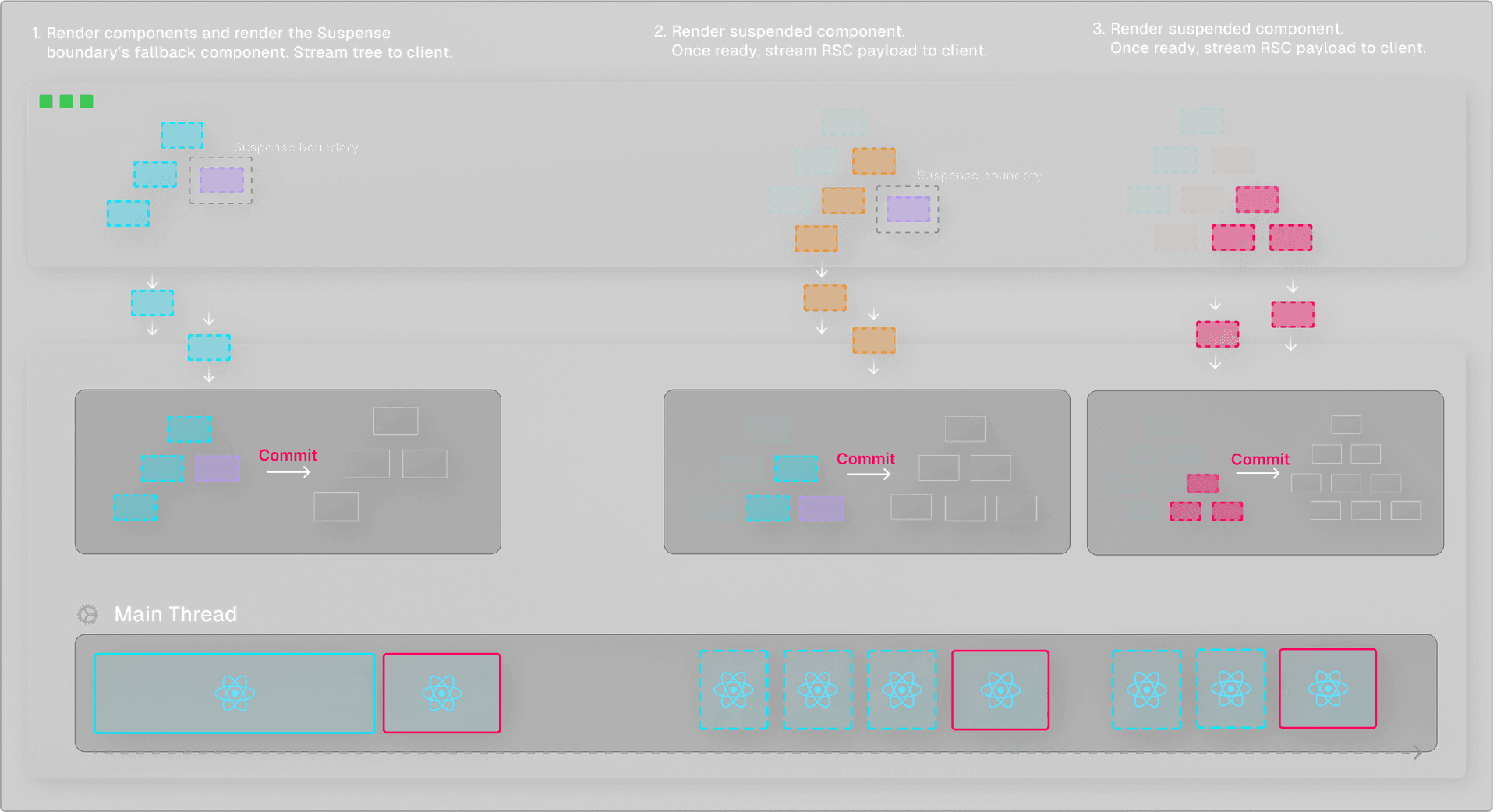
During this time, we can tell React to render a fallback UI to indicate that this component is still loading. Once the awaited data becomes available, React can seamlessly resume the rendering of the previously suspended component in an interruptible way, like we previously saw happening with transitions.
React can also reprioritize components based on user interaction. For example, when a user interacts with a suspended component that's not currently being rendered, React suspends the ongoing render and prioritizes the component that the user is interacting with.
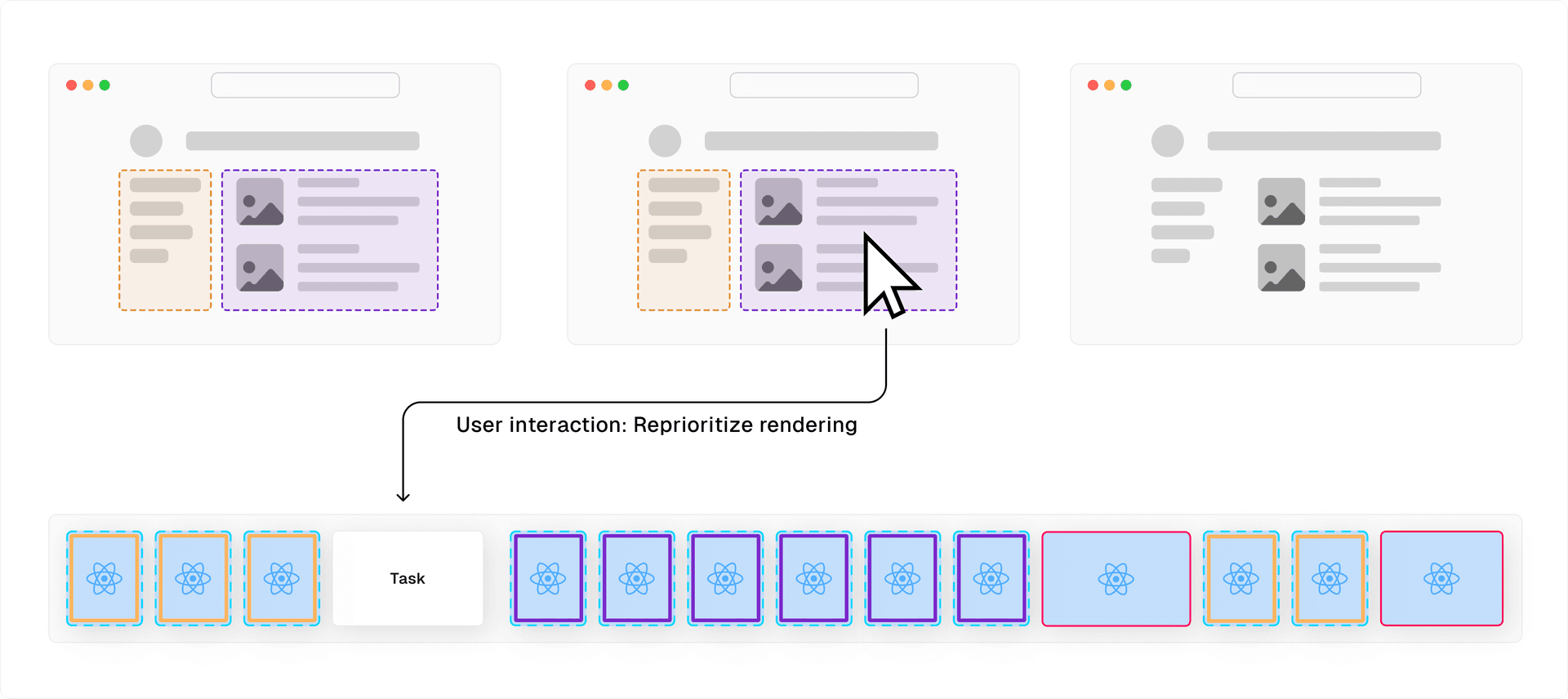
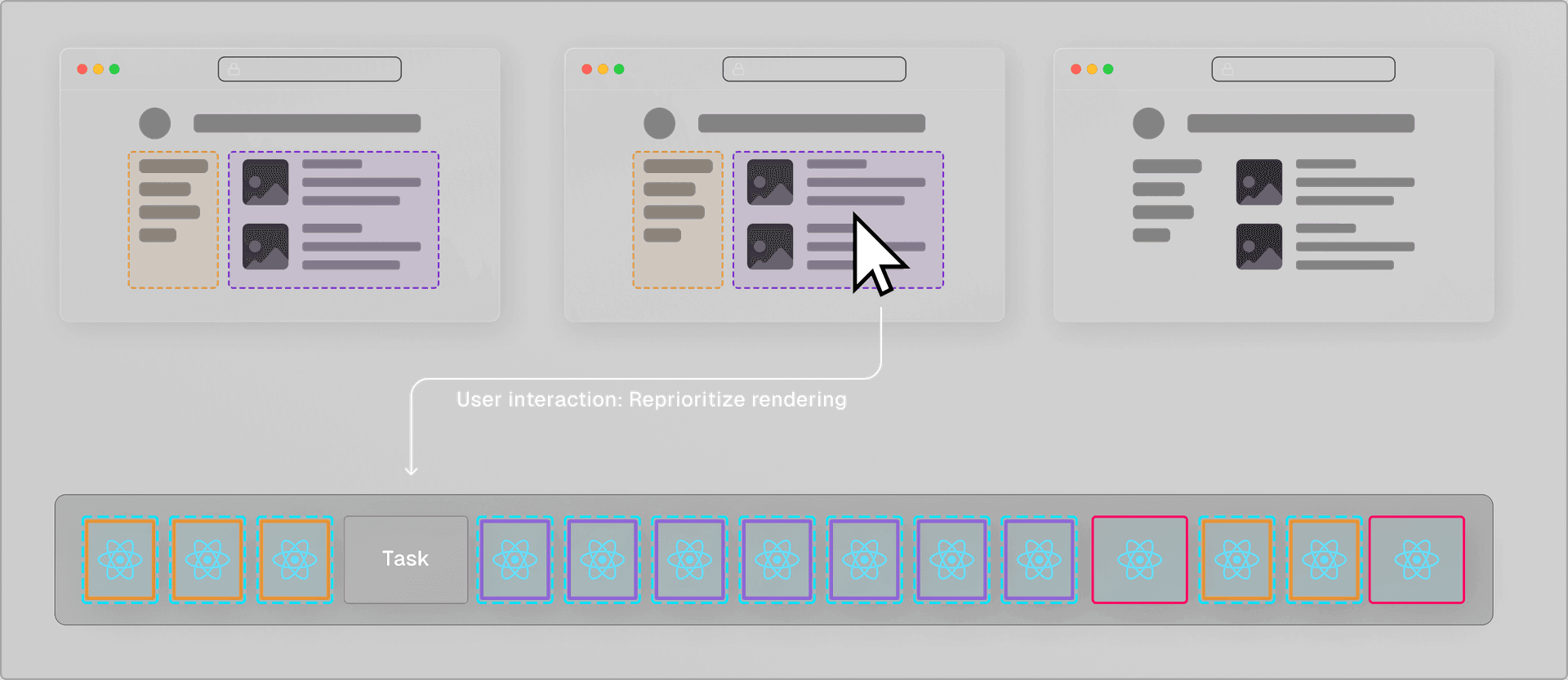
Once it's ready, React commits it to the DOM, and resumes the previous render. This ensures that user interactions are prioritized and the UI remains responsive and up-to-date with user inputs.
The combination of Suspense with React Server Component’s streamable format allows high-priority updates to be sent to the client as soon as they're ready, without waiting for lower-priority rendering tasks to complete. This enables the client to start processing data sooner and provides a more fluid user experience by gradually revealing content as it arrives in a non-blocking manner.
This interruptible rendering mechanism combined with Suspense's ability to handle asynchronous operations provides a much smoother and more user-centric experience, particularly in complex applications with significant data-fetching needs.
Link to headingData Fetching
Besides rendering updates, React 18 also introduces a new API to fetch data and memoize the result efficiently.
React 18 now has a cache function that remembers the result of the wrapped function call. If you call the same function with the same arguments within the same render pass, it will use the memoized value without the need to execute the function again.
import { cache } from 'react' export const getUser = cache(async (id) => { const user = await db.user.findUnique({ id }) return user;})
getUser(1)getUser(1) // Called within same render pass: returns memoized result.In fetch calls, React 18 now includes a similar caching mechanism by default without having to use cache. This helps to reduce the number of network requests in a single render pass, which improves application performance and lowers API costs.
export const fetchPost = (id) => { const res = await fetch(`https://.../posts/${id}`); const data = await res.json(); return { post: data.post } }
fetchPost(1)fetchPost(1) // Called within same render pass: returns memoized result.These features are helpful when working with React Server components, as they cannot access the Context API. The automatic caching behavior of both cache and fetch allows exporting a single function from a global module and reusing it throughout the application.
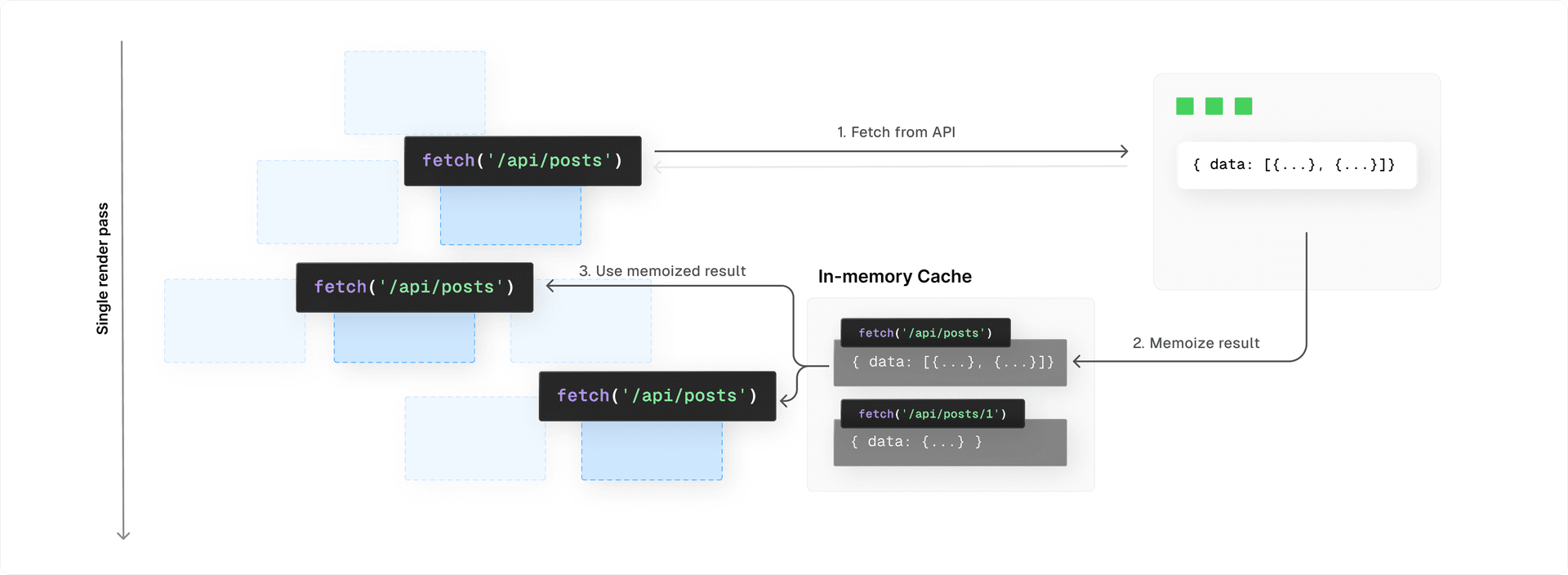
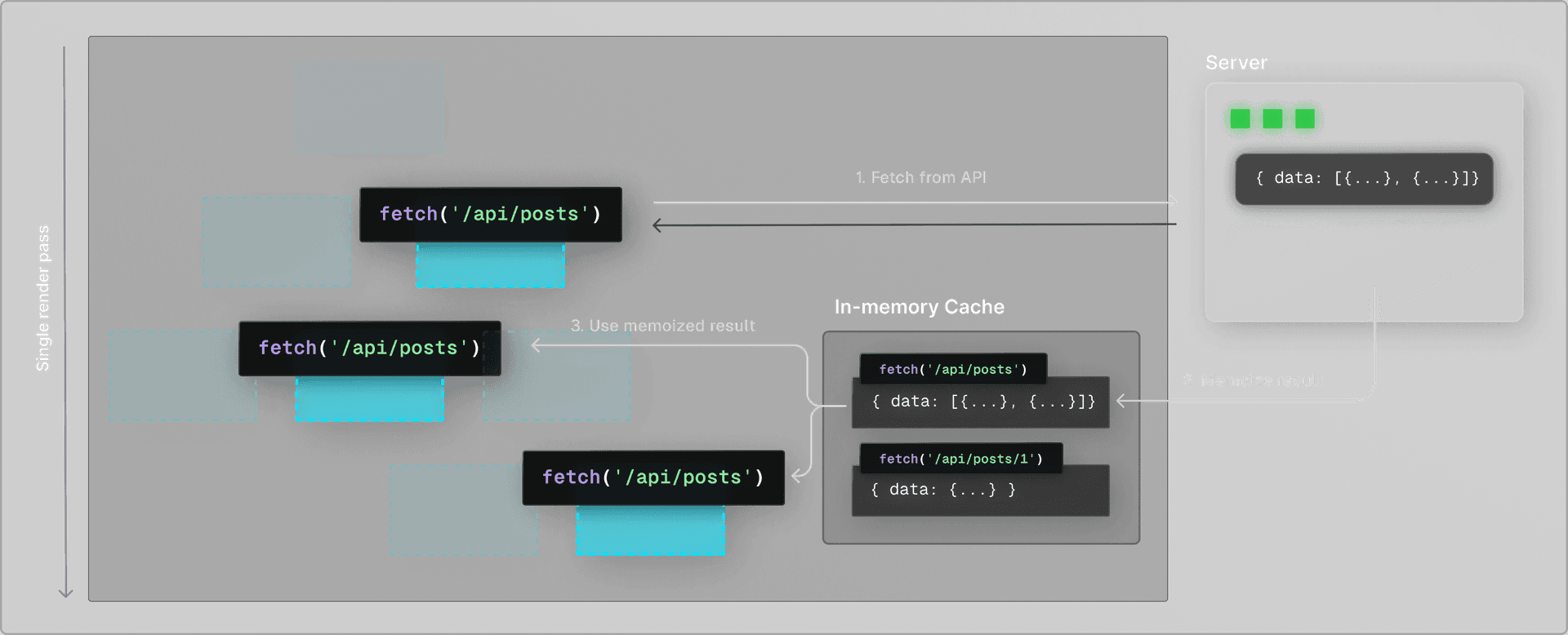
async function fetchBlogPost(id) { const res = await fetch(`/api/posts/${id}`); return res.json();}
async function BlogPostLayout() { const post = await fetchBlogPost('123'); return '...'}async function BlogPostContent() { const post = await fetchBlogPost('123'); // Returns memoized value return '...'}
export default function Page() { return ( <BlogPostLayout> <BlogPostContent /> </BlogPostLayout> )}Link to headingConclusion
In summary, React 18's latest features improve performance in many ways.
With Concurrent React, the rendering process can be paused and resumed later or even abandoned. This means the UI can respond immediately to user input even if a large rendering task is in progress.
The Transitions API allows for smoother transitions during data fetches or screen changes without blocking user input.
React Server Components lets developers build components that work on both the server and client, combining the interactivity of client-side apps with the performance of traditional server rendering without the cost of hydration.
The extended
Suspensefunctionality improves loading performance by allowing parts of the application to render before others that may take longer to fetch data.
Developers using Next.js's App Router can start taking advantage of the features now available for frameworks, like cache and Server Components, mentioned in this blog post. In an upcoming blog post, we'll cover how the Next.js App Router leverages these performance features to enhance your application even further.